Emacs After 50 Years. Still Unbeatable?

Table of Contents
Emacs celebrated 50 years!
An editor that was created about 50 years ago is still… unbeatable.
It sounds ridiculous, right?
As many of you might guess, today I'll talk about Emacs.
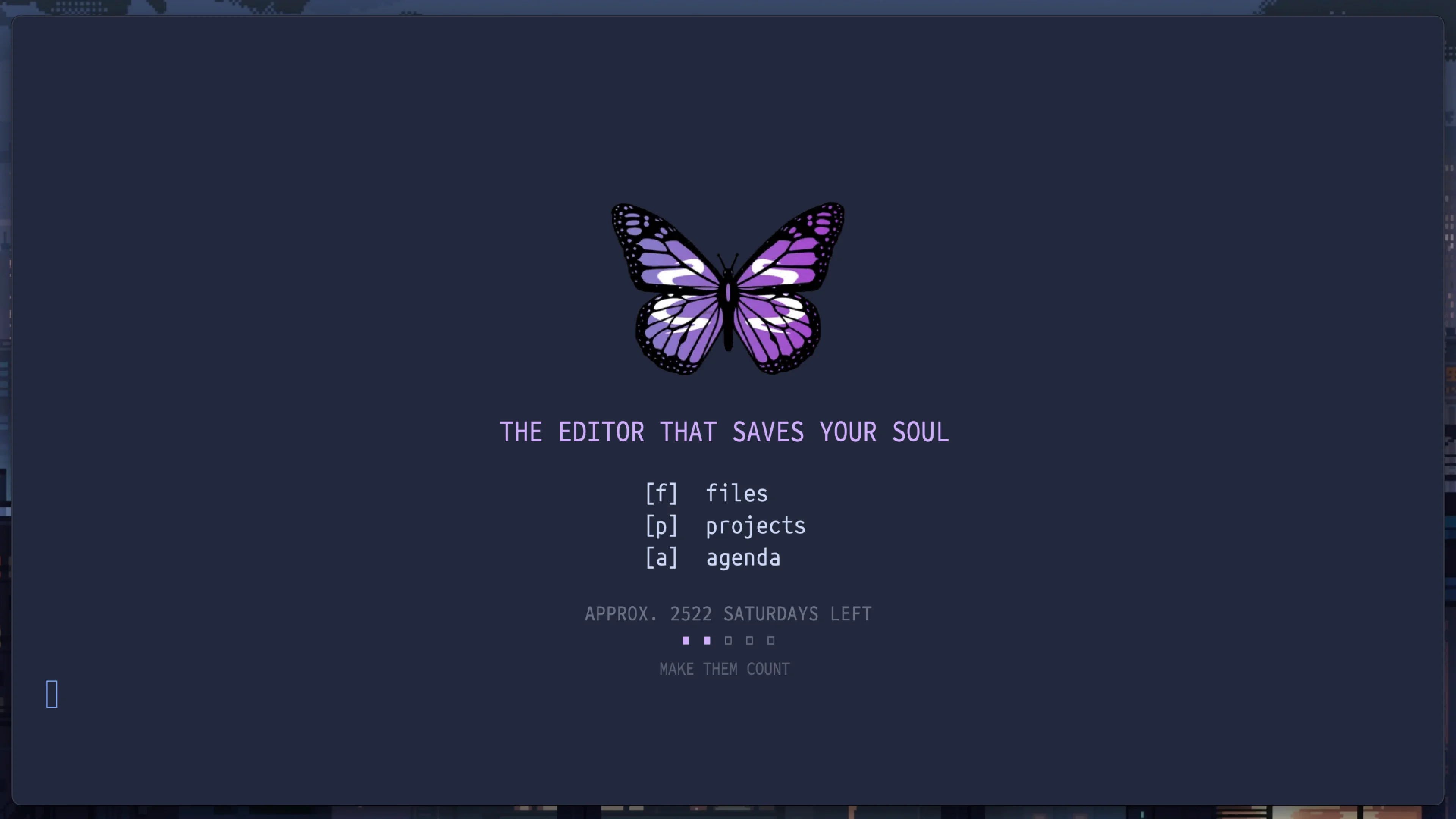
I've been writing software for more than 11 years, and during that time, I've tried a TON of different editors. From popular ones like VS Code and IntelliJ IDEA to some obscure ones like Helix forks, Flow, and even some vibe-coded projects like Hume.
And somehow… I always come back to Emacs.
But here's the funny thing.
I don't even think Emacs is a particularly good editor, especially out of the box.
So… why am I still using it? And why does it still have a place in the era of AI-driven development?
The first impression
Let's start with the obvious.
Emacs doesn't look particularly impressive when you open it for the first time.
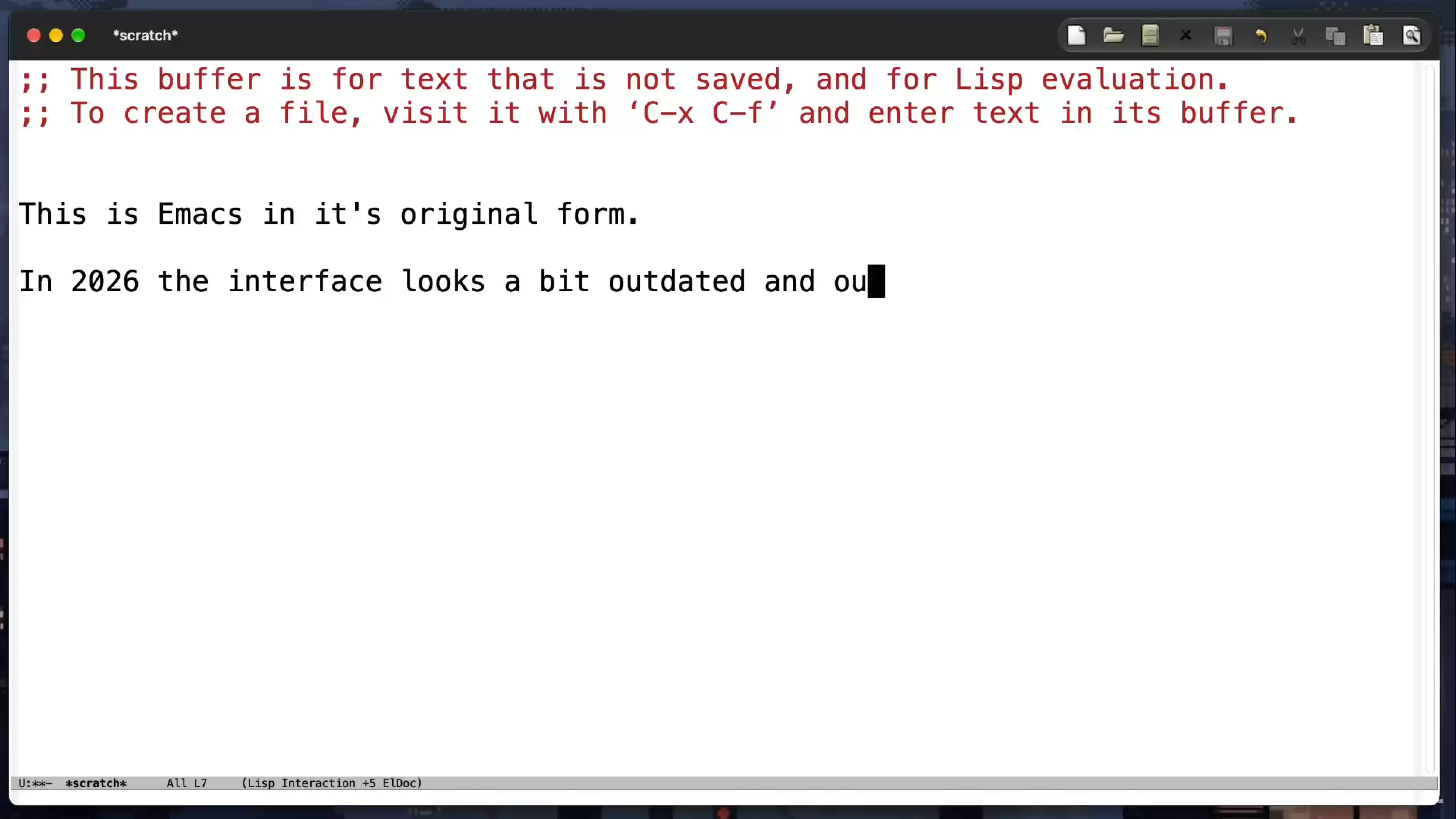
It's not the prettiest editor. It might not be the fastest one. And its default keybindings look like they were designed for a piano virtuoso. No less.
Honestly, when I first opened Emacs, I thought it looked pretty ugly.
I know that for most Emacs users, it just doesn't matter.
But I spend a lot of time writing code, and I want my editor to look attractive, so that I actually want to use it and get aesthetic pleasure from doing so.
And getting comfortable with Emacs takes time.
So why would anyone choose it over something like VS Code, Zed, or Neovim?
Well… because Emacs is a little different.
Is it even an editor?
Emacs fans might hate me for saying this, but…
Emacs is a text editor.
At least, that's where everything starts.
Some people call it a Lisp machine, and there's a reason for that.
But we'll get to that later.
Because things get much more interesting when you look at what Emacs can actually do.
You can write code, but that's obvious, isn't it? That's where it all starts. And of course, Emacs isn't stuck in the past. You can use modern AI coding tools right inside it.
I use ECA for this. I've written more about it and the rest of my AI-assisted workflow in my guide to agentic development.
Then there's Magit.
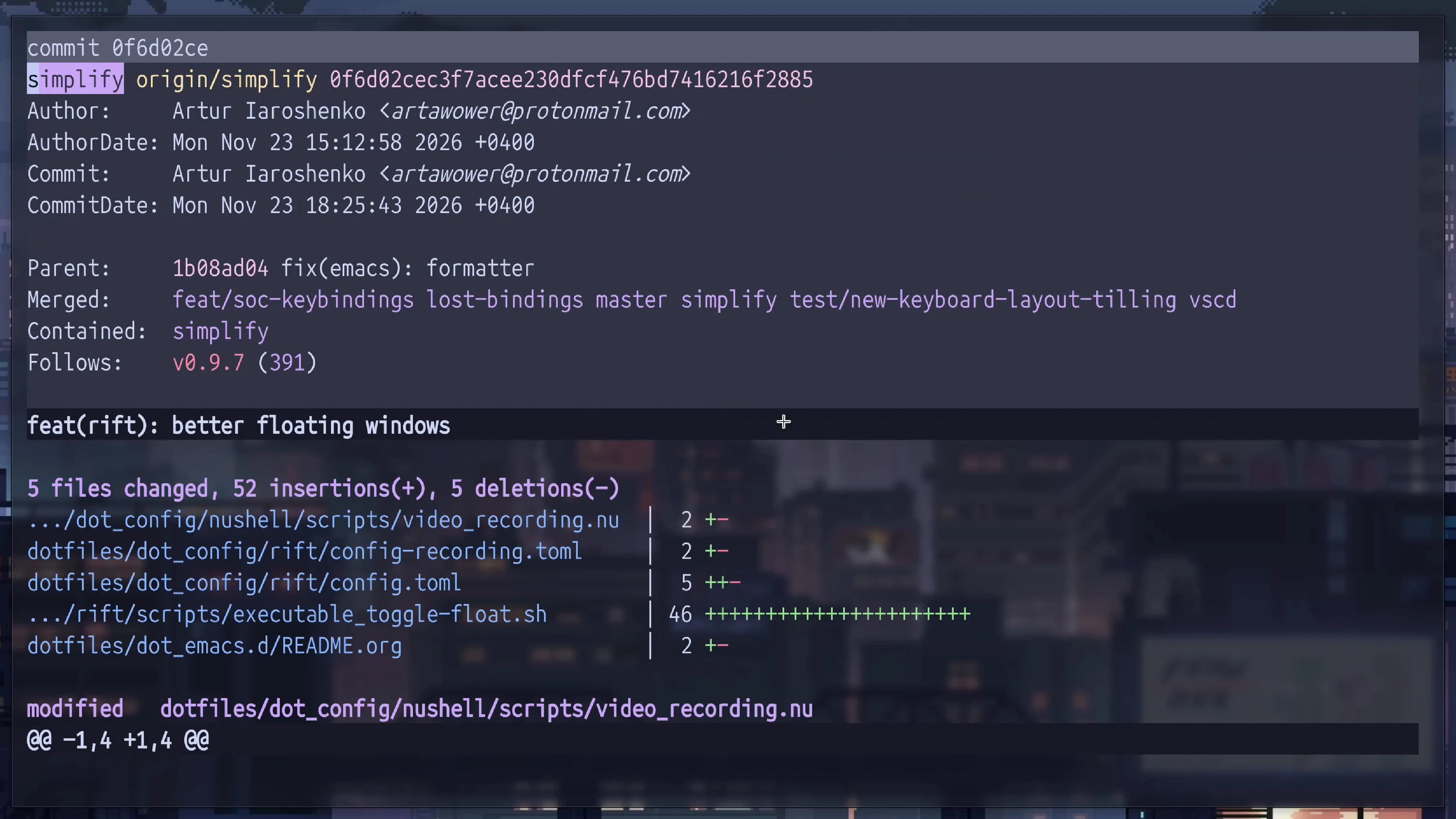
It's a Git interface that lets me handle a lot of my daily Git work without leaving Emacs.
And honestly, it's one of the best Git clients I've ever used.
Thanks to its transient menus, I can quickly find almost any Git command and execute it without having to stop and think.
And then there's Org Mode.
Notes, tasks, planning, and even writing this video script — all in plain text.
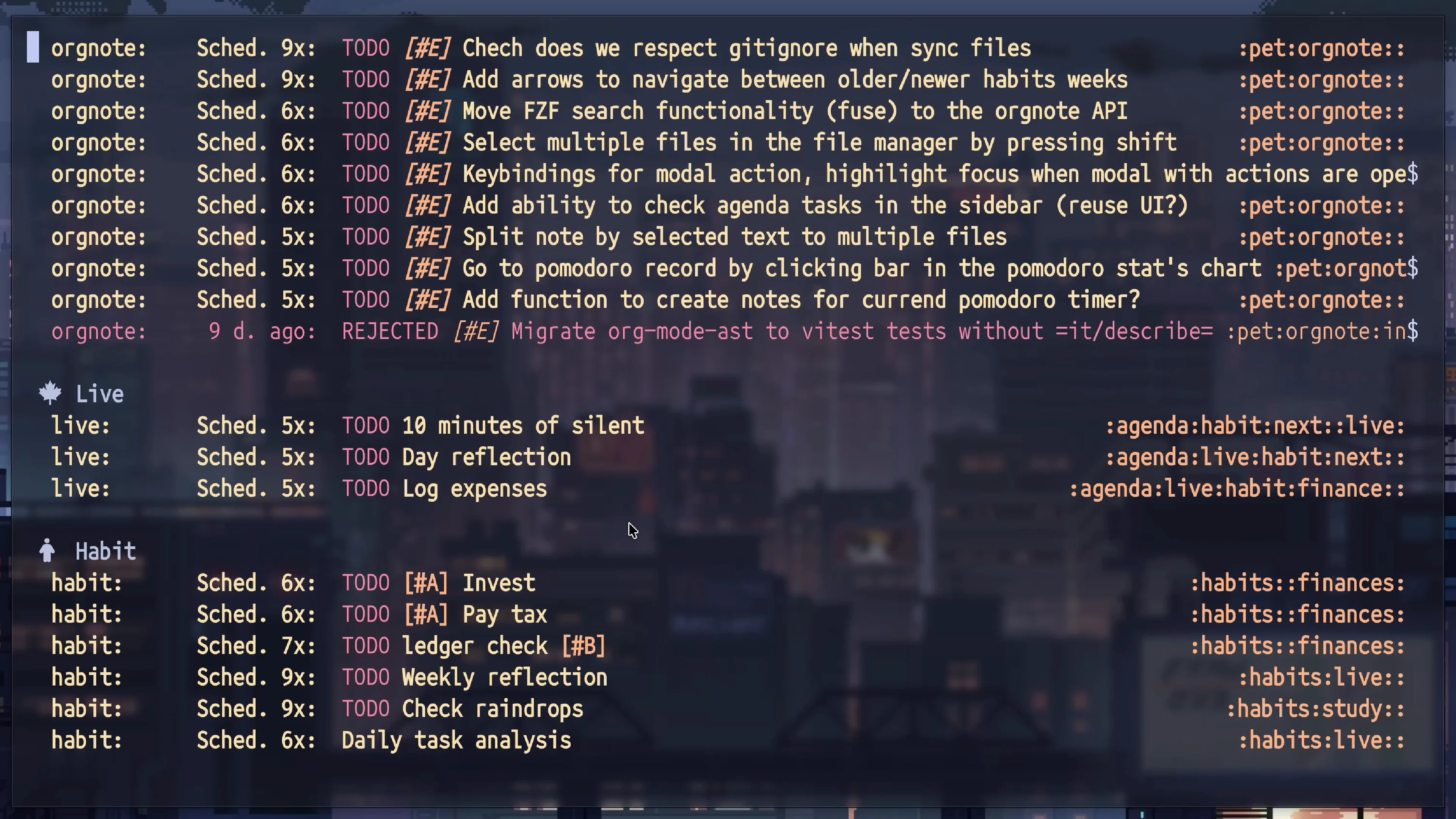
In fact, this was the main reason I switched from Neovim to Emacs.
I keep my notes right next to my projects, and you can build an even more complex knowledge base with Org Roam to implement your own second brain or Zettelkasten!
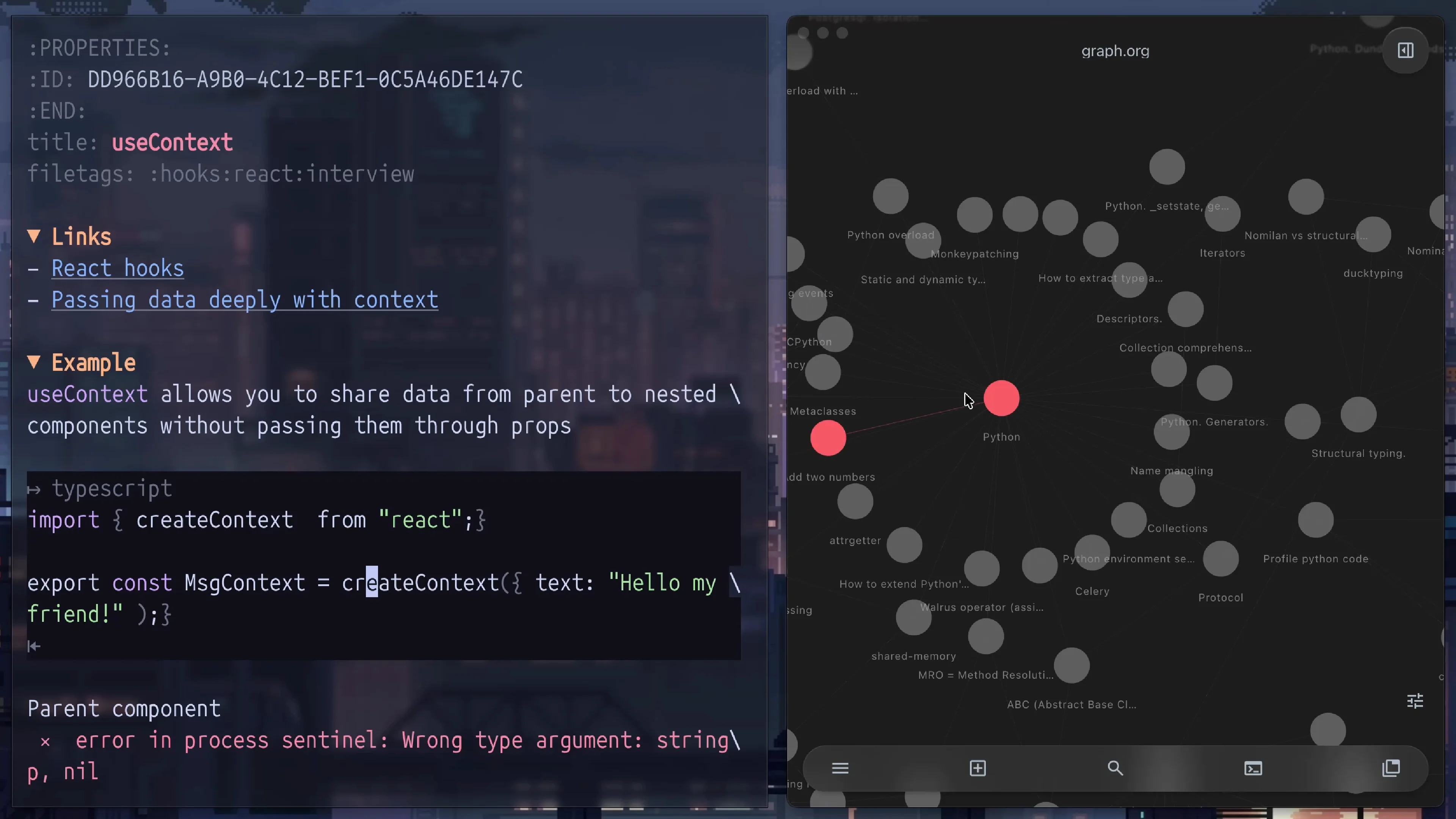
It also supports literate programming!
I mostly use it to learn new programming languages and practice coding, simply because I find it much more efficient than anything else I've tried.
A small learning note might look like this. Here, mapcar applies a function to each number in a list, producing a list of squares:
#+begin_src emacs-lisp :results value pp :exports both
(mapcar (lambda (n) (* n n)) '(1 2 3 4))
#+end_src

#+RESULTS:
: (1 4 9 16)
In an Org buffer, pressing C-c C-c inside the inner code block evaluates it and inserts the result below. Emacs Lisp works out of the box; other languages need their Babel support enabled and the appropriate runtime installed.
The explanation, runnable example, and output stay together. When I return to a topic, I can change the input and run it again without moving the example into a separate project. The Org manual covers execution, exporting results, and extracting code into source files.
I can check my email without switching to another application. And just look at this piece of art… It's called Nano Emacs. When I saw this minimalistic interface, I just fell in love.
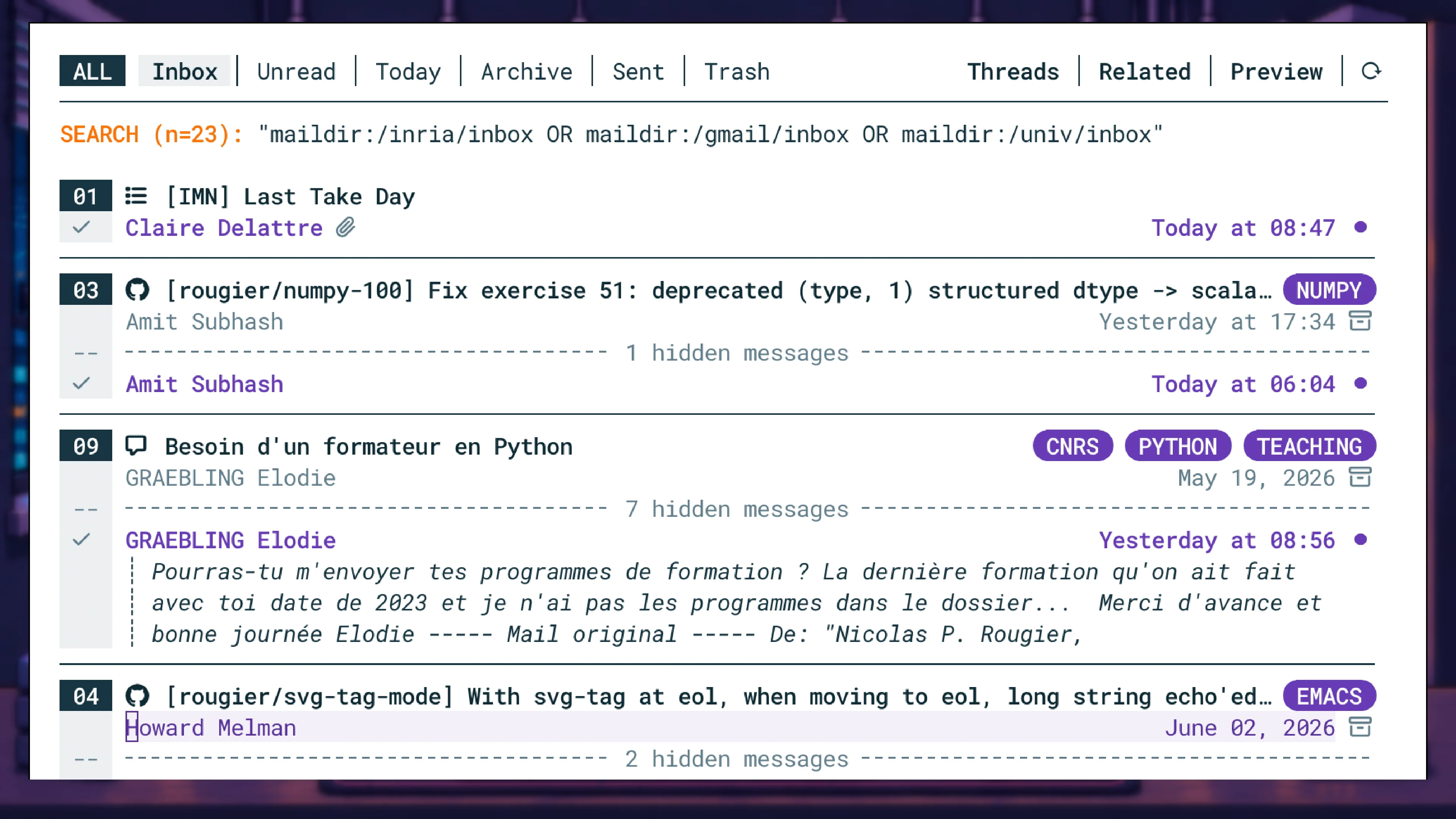
You can catch up on Hacker News through Elfeed, a perfect RSS reader, with exactly the same keybindings you use in your editor!
It's also possible to organize your tasks and plan your day with Org Agenda, and use it as a Pomodoro timer and a diary!
You can even watch anime and read manga. It's very productive! Trust me.

And just look at this! You can chat with your friends on Telegram, right inside Emacs! As far as I know, it's also possible to use Discord and WhatsApp.
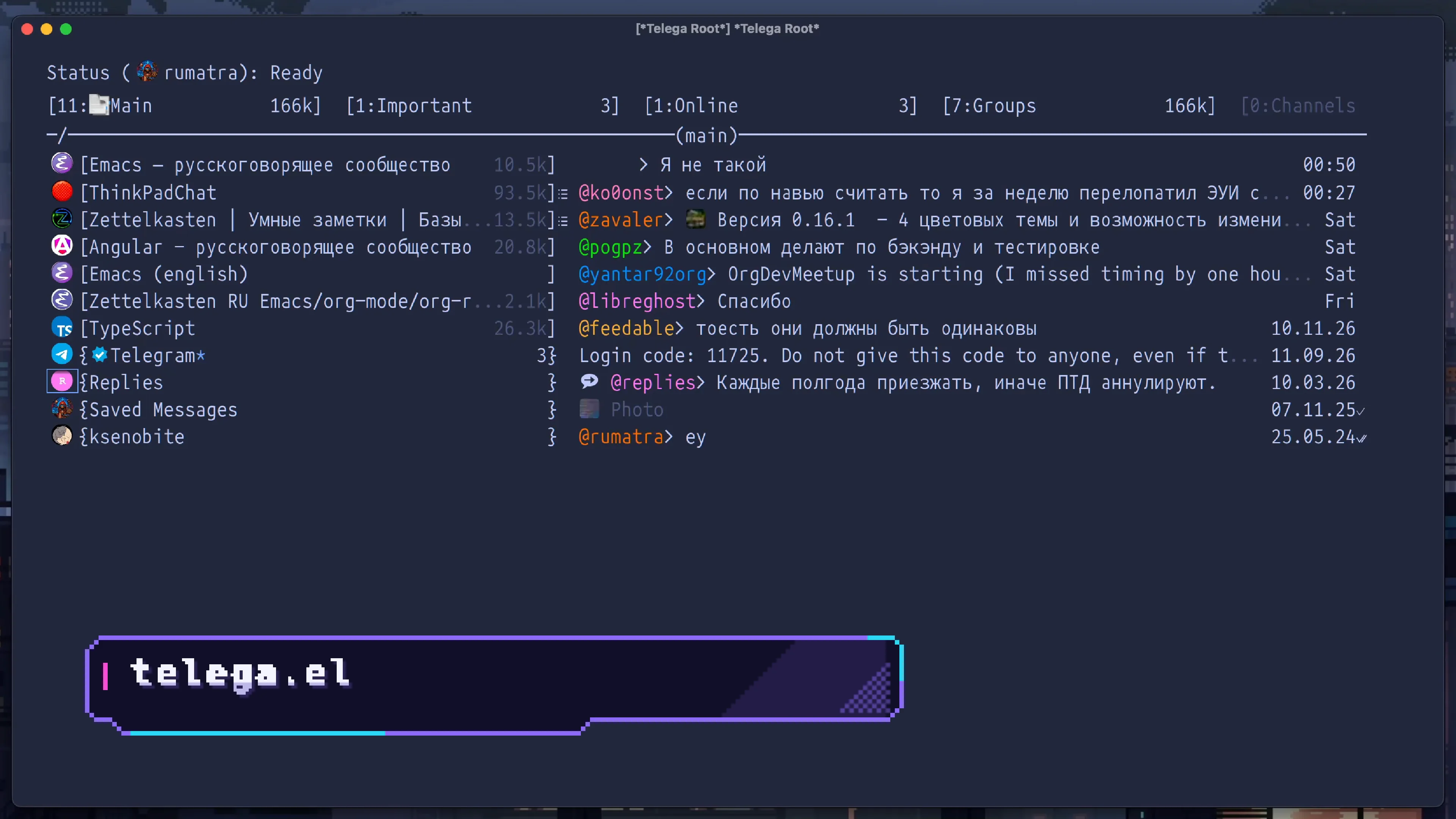
You can do so many different things right there in Emacs… with exactly the same commands and keybindings, without changing your preferences and habits!
And I still can't bring myself to replace Dired with another file manager. For me, it just works like clockwork.
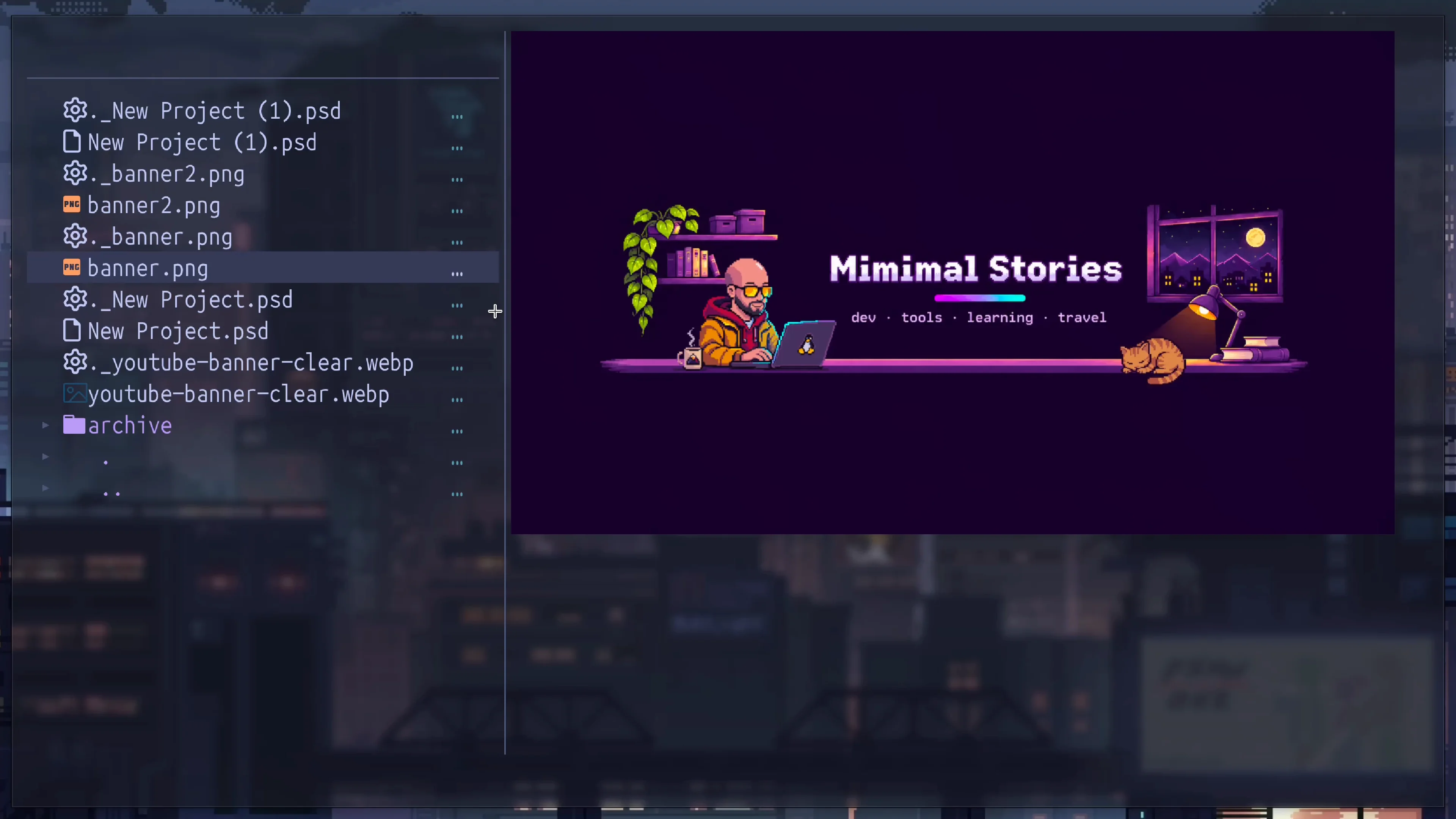
Using something like Finder after this feels really awkward.
Each of these deserves its own video. For now, I just want to show you how far this environment can go.
At some point, it stops feeling like just another editor. It becomes an entire environment, with its own rules, tools, and ecosystem.
But wait… doesn't that go against the UNIX philosophy? Isn't it better to have one program that does one thing really well?
Well, on paper, yes.
But Emacs doesn't have to replace all those tools. It can give them a common interface.
And that's where things get interesting.
The real superpower
Consistency
To be honest, I'm a fan of the single-responsibility principle.
But there's one thing that really bothers me.
Every program has its own interface, shortcuts, and ways of doing things. And every time you switch between programs, you have to learn something new.
Why should every piece of software decide how I want to interact with it?
Let's look at an email client.
You navigate between messages, open one, and go back to the list. Now let's take an RSS reader. Pretty much the same actions, right?
But the shortcuts and navigation can be completely different.
And it's not just graphical applications. Even in the terminal, things aren't always consistent.
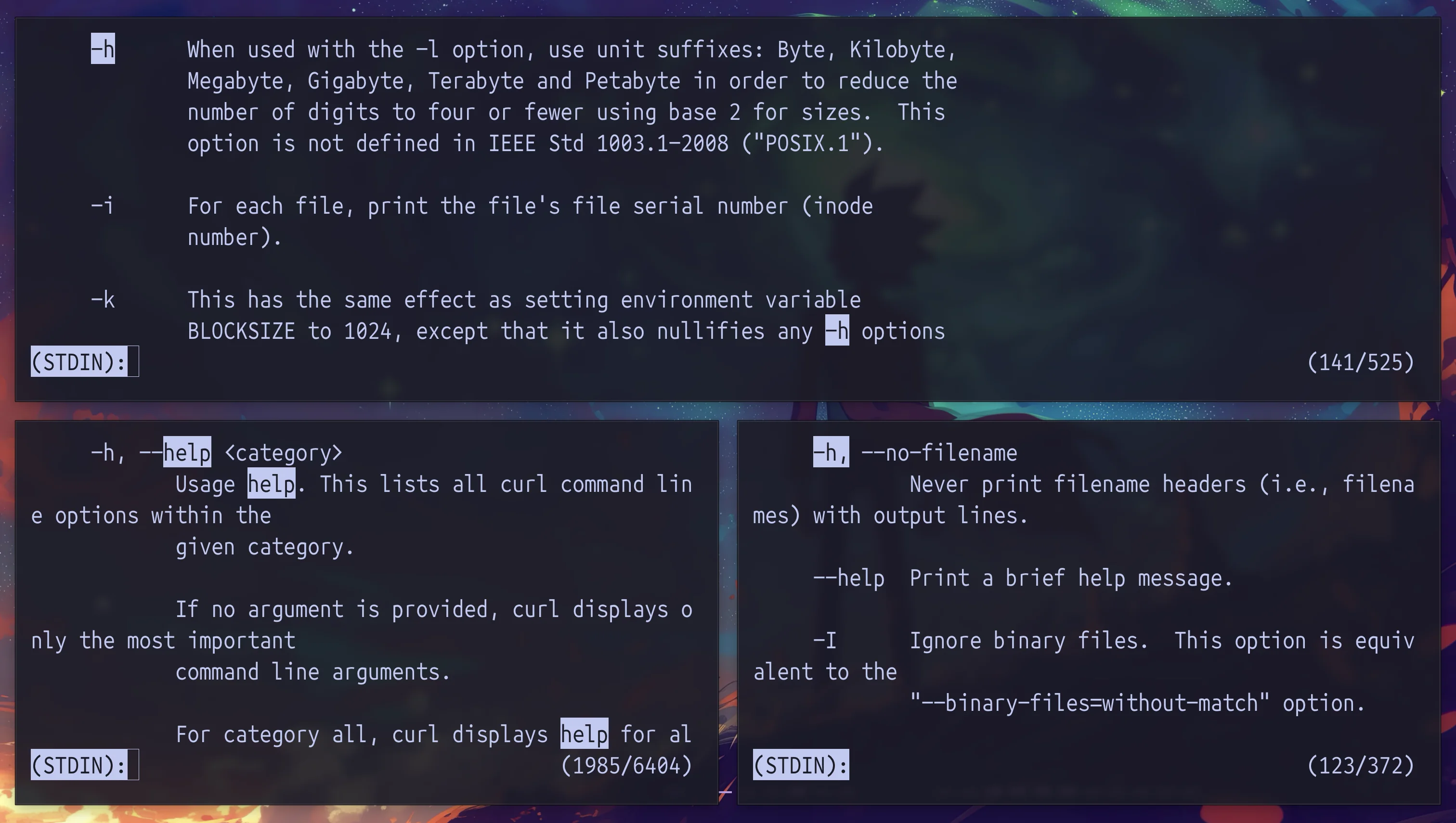
Take the -h flag, for example.
In ls, it means human-readable sizes.
In grep, it hides filenames.
And in curl, it shows help!
Don't get me wrong. These tools can be great at what they do.
But I like having one place where I can decide how to interact with them.
That's one of the things I love about Emacs.
I can define my own shortcuts and use them across different tools. Code, notes, email, Git — all within one environment.
I don't have to adapt to every tool.
I can make my tools adapt to me.
Extensibility
And this is probably the main reason I keep using Emacs.
With most tools, you learn how they work and then adapt to them. But with Emacs, you can change how the editor actually behaves. And I don't mean just changing the theme or installing another plugin.
There's a principle in software development called the Open-Closed Principle: you can extend existing behavior without modifying the original code. Emacs gives you tools like hooks and advice to do exactly that.
And it goes deeper than adding features. You can change the way you edit text itself.
Vim and Helix are great editors, but they're tightly coupled to their authors' vision of how editing should work. Sure, you can remap their keys. But that's not the same as changing the whole way you interact with an editor.
In Emacs, I can use the default keybindings, switch to Vim-style editing with Evil, or try something completely different, like Meow. Evil is actually the best proof: Emacs borrowed Vim's entire editing model.
And the best part is that you can experiment with these changes while Emacs is running.
Live Emacs Lisp evaluation
Let me start with one of my favorite features.
Emacs can evaluate Lisp expressions while it's running. You don't need to restart it just to test a small change.
For example, type an expression in a buffer, move the cursor after it, and press C-x C-e.
(+ 2 3)Or use M-x eval-expression to evaluate an expression directly. You can even evaluate an entire buffer with M-x eval-buffer.
That's what makes the whole Lisp machine idea so interesting to me. You can change your environment while you're using it. And I really miss that kind of experience in other editors.
Introspection
But how do you know which functions you can extend?
This is another thing I love about Emacs: introspection.
You can inspect functions and variables directly inside your running editor. You can even jump to their source code.
For example, I press C-h f and type avy-goto-char. Emacs shows me what this function does, which key it's bound to, and where it's defined. One more click, and I'm looking at its source code.
C-h v does the same for variables. Like avy-keys, which controls the letters Avy uses for jumping.
And if I don't know what a shortcut does, I press C-h k and then the shortcut itself. Emacs tells me exactly which function is behind it.
And you can explore things like text properties and faces without leaving your workspace. Just put the cursor on any character and use the describe-face function.
And this isn't static documentation. These commands describe your Emacs as it is right now.
If you change a variable, describe-variable shows the new value. If you add advice to a function, C-h f tells you about it.
It's a lot easier to experiment when the editor lets you look inside it.
Here are the default bindings and command names for reference. A custom setup may use different bindings, but the commands are also available through M-x.
| Keybinding | Command | What it does |
|---|---|---|
C-h f | describe-function | Show a function's documentation and a link to its source |
C-h v | describe-variable | Show a variable's current value and documentation |
C-h k | describe-key | Explain the command behind a keybinding |
C-x C-e | eval-last-sexp | Evaluate the Lisp expression immediately before the cursor |
Now let's put that to use.
Avy: a small example
There's a package called avy that lets you jump to almost any visible part of the screen.
Now imagine I want to jump to the definition of a function somewhere on my screen.
Normally, I'd move the cursor to that function first, and then call Go to Definition. But what if I could combine those two actions?
That's exactly what I did. I added a small piece of Lisp that connects the two actions.
In this example, husky-lsp-find-definition comes from my Husky package. It calls the active LSP client's definition command, with a fallback to Emacs' built-in xref. It isn't a built-in Emacs command.
This snippet needs both Avy and Husky installed. Definition lookup should already work in the target buffer before adding the advice.
(require 'avy)
(require 'husky-lsp)

(defun my/avy-before-definition (&rest _)
  (call-interactively #'avy-goto-word-1))

(advice-add 'husky-lsp-find-definition
            :before #'my/avy-before-definition)
After evaluating the snippet, run M-x husky-lsp-find-definition. Type the first character of the function name you want to jump to, then choose its Avy label if several matches appear. Avy moves the cursor first; definition lookup then runs at the selected location.
The :before advice adds that step to every call of husky-lsp-find-definition. To restore its original behavior, evaluate:
(advice-remove 'husky-lsp-find-definition #'my/avy-before-definition)And that's what I mean by extensibility.
I'm not waiting for someone to add this feature to the editor. I can build it myself.
This is a small example for Avy's normal jump action. Custom Avy actions or an unsuccessful selection need additional handling; the advice doesn't check whether a useful target was selected.
But there's a catch
Now, before you rush to install Emacs…
There's something I should mention.
Nothing is perfect. Not even Emacs.
Learning curve
Some Emacs users say it's easy to get started.
I have to disagree.
For me, it took two or three weeks of research just to get a setup I was happy with. And I spent about six months using Emacs before I wrote my first package.
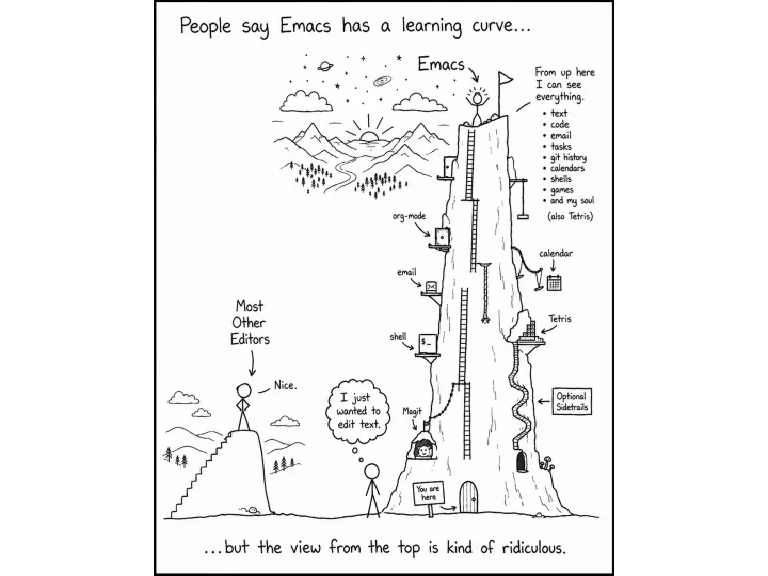
You have to learn some unfamiliar concepts, and that can be frustrating.
Configuration and maintenance
And the freedom to customize everything comes at a price.
Time.
A LOT of time.
You can spend hours making your editor better…
Instead of actually doing your work.
And believe me, I know what I'm talking about.
And it's not just the initial setup. Sometimes packages break, configurations need updating, and you have to figure out what went wrong.
At some point, customization can become a hobby of its own. And that's an important trade-off to consider.
Performance
And of course, performance can sometimes be an issue, especially with a heavily customized setup on macOS or Windows.
In my experience, things generally run much more smoothly on Linux.
But what about a more modern version of Emacs?
There's actually an interesting project called Neomacs.
It's a rewrite of Emacs in Rust, with GPU-accelerated rendering and a focus on performance.
It's still experimental and mostly vibe-coded, but I'm really excited to see where this project goes.
I've been using it for the past few months, and I'm really happy with the results. The author also responds to GitHub issues very quickly!
Unrealistic expectations
And there's one more downside I didn't expect.
After using Emacs for so long, other tools often feel… limited.
I keep thinking, "Why can't I change this? Why does it have to work this way?"
And it's not just about software.
When I look at what Emacs maintainers and package authors have built, I can't help wishing I could work with engineers like that more often. People who really enjoy building powerful, flexible tools.
Unfortunately, I don't get that opportunity very often in my day-to-day work. And honestly… that's a little disappointing… 🥲
But at least there's something I can do about it.
If you enjoy using Emacs, consider supporting its maintainers and the people behind your favorite packages.
The work they do is absolutely amazing, and I think they deserve a lot more recognition.
• Support Emacs package maintainers: https://github.com/freetonik/support-emacs-community-devs • Support the Free Software Foundation: https://my.fsf.org/donate/ • Contribute to GNU Emacs: https://www.gnu.org/software/emacs/manual/html_node/emacs/Contributing.html
Should you actually use Emacs?
So… would I recommend Emacs to everyone?
Definitely not.
If you want an editor that works out of the box, there are plenty of good options. If you mostly vibe-code your projects… well, I don't think this tool is for you either.
And you probably don't need to spend your weekends configuring Emacs.
But I think Emacs is worth trying if you write or edit text all day — not just code — or if you really enjoy improving your own workflows.
And you don't have to start from scratch.
I actually started with Doom Emacs about four years ago, and used it for around a year and a half.
Doom Emacs and Spacemacs are two ready-made Emacs configurations that can make getting started easier.
They come with their own choices and conventions, but you can still customize them.
Use one for a while. Change things when you actually need to.
There's also a third way, and these days it might be the most interesting one: building your config with AI.
And Emacs fits this surprisingly well. Your whole config is just Lisp, and an agent can evaluate it right inside your running Emacs and check the docs through the same introspection I showed earlier.
Some people hate this approach, and that's understandable. You still need to understand what's in your config, or the first broken package will hurt.
But if you don't have time for configuration, at least you can try it and see what this editor has to offer.
And if Emacs just isn't your thing, that's fine too.
Some interesting alternatives
Zed, Neovim, and VS Code are all great editors, and they have their own ways of extending functionality. But personally, I still find Emacs more flexible when it comes to changing how the editor itself behaves.
To be honest, I haven't found a real replacement for Emacs yet.
But if you're curious about more experimental approaches, there are a few interesting projects worth checking out.
I've already mentioned Neomacs. It looks promising.
There's also HUME, which takes inspiration from Helix-style editing and uses Scheme for extensions. But for me, it's still too young and doesn't provide enough introspection, at least not yet.
And Legmacs, a small Emacs-inspired terminal editor built around a Clojure-like Lisp. This is one of the most interesting and promising projects I've found in a while.
If you know any interesting Emacs-like editors, I'd love to hear about them in the comments.
I love seeing people experiment with new ways to build editors.
But whatever you choose, the goal isn't to have the most customized setup. The goal is to get your work done.
So… is it really unbeatable?
Well, maybe not for everyone.
But after more than 11 years of writing software and trying different editors…
I still haven't found anything that fits the way I work better than Emacs.
Not because it has the most features.
Not because it's the fastest.
And definitely not because it's the prettiest.
But because I can make it work the way I want. And when the way I work changes, Emacs can change with me.
If someone comes up with a better way to edit text tomorrow, I don't have to wait for Emacs to support it. I can experiment with it myself.
That's why I think Emacs has a good chance of being around for another 50 years.
Not because it never changes, but because people can keep changing it.
And perhaps that's what makes it so difficult to replace.